Access control is the part of a security system that determines who is allowed to enter a building, room, or other protected area—and under what conditions. Instead of relying exclusively on traditional locks and physical keys, an access control system uses credentials, electronic locking hardware, readers, controllers, and management software to regulate entry.
For a business, that distinction matters. A conventional lock answers one basic question: does the person have a key? Modern access control can answer much more. Is this credential valid? Is the person authorized to enter this particular door? Is access permitted at this time of day? Has the credential been suspended? Should the entry attempt be recorded or trigger another security event?
That combination of physical security and centralized management is why access control has become an important component of security infrastructure in offices, schools, healthcare facilities, warehouses, commercial properties, government buildings, and multi-tenant environments.
For organizations planning a new security system or modernizing an existing facility, understanding how access control works is the first step toward choosing a system that fits the building rather than simply adding electronic locks to doors.
What Is Access Control in Security Systems?
In physical security, access control is a method of restricting entry to authorized people while preventing or documenting unauthorized access.
The system verifies a person’s credential before deciding whether to unlock a controlled opening. That credential might be an access card, key fob, PIN, mobile credential, or biometric identifier.
A typical interaction happens in seconds.
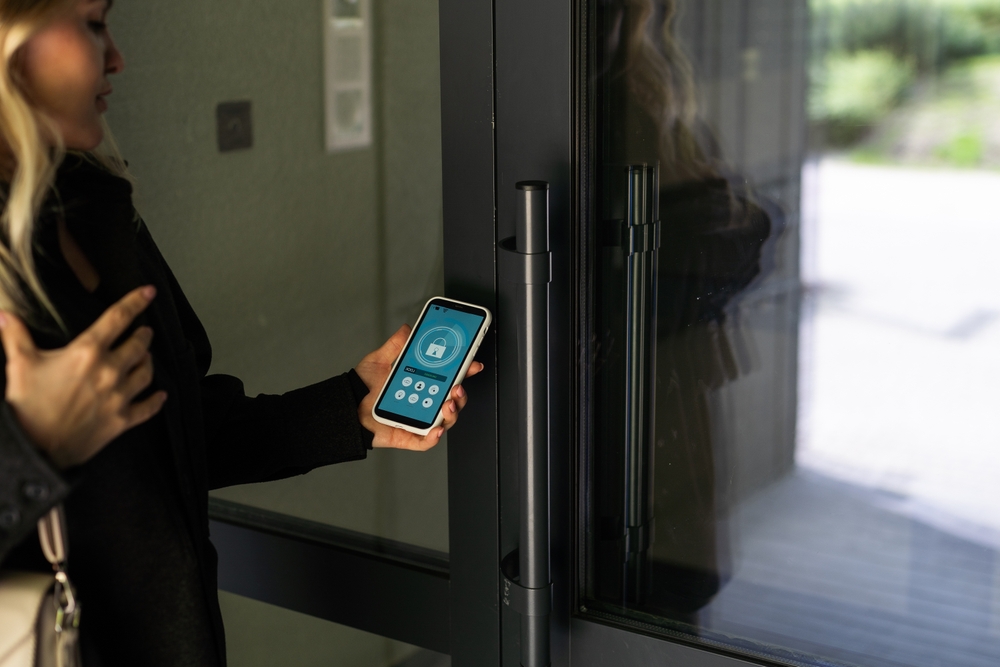
An employee approaches a secured door and presents a credential to the reader. The system checks that credential against its permissions. If the person is authorized to use that door at that time, the electronic locking hardware releases. If access is not authorized, the door remains locked and the denied attempt can be recorded.
Behind that simple interaction is a coordinated group of electronic and physical components.
Access control may be installed at:
- Main building entrances
- Employee-only entrances
- Server and telecommunications rooms
- Executive offices
- Storage areas
- Warehouses
- Equipment rooms
- Research or laboratory spaces
- Parking gates and garages
- Elevators
- Restricted floors
- Multi-tenant building entrances
The objective is not merely to lock doors. It is to create controlled, manageable movement through a facility.
How Does an Access Control System Work?
Most electronic access control systems follow the same basic sequence: identification, authentication, authorization, and access.
1. A User Presents a Credential
The process begins when someone presents a credential to an access control reader.
Depending on the system, the credential could be a proximity card, smart card, key fob, smartphone, PIN, fingerprint, facial characteristic, or another approved identifier.
The credential tells the system who—or, more precisely, which credential—is requesting entry.
2. The Reader Captures the Credential
The access control reader detects the credential and sends its information to the appropriate controller or access control platform.
Readers can use several technologies, including RFID, NFC, smart-card protocols, Bluetooth Low Energy, biometrics, and keypad input.
3. The System Checks Access Permissions
The access control system compares the credential with its configured permissions.
For example, an employee may be permitted to enter the main office Monday through Friday between 7:00 a.m. and 7:00 p.m. but may not have access to a server room at any time.
A facilities manager could have broader permissions, while a contractor might receive temporary access to only the areas required for a particular project.
4. Access Is Granted or Denied
If the credential and permissions satisfy the system’s rules, the controller signals the locking hardware to release.
If they do not, the door stays secured.
Depending on the configuration, repeated denied attempts or other abnormal activity can generate alerts for security personnel or administrators.
5. The Event Is Recorded
Electronic access control creates something mechanical keys cannot provide on their own: an activity record.
The system can log information such as:
- Credential used
- Door or entry point
- Date and time
- Access granted
- Access denied
- Door held open
- Door forced open
These records can help security teams investigate incidents, review activity, administer credentials, and better understand how protected areas are being accessed.
What Are the Main Components of an Access Control System?
A reliable access control solution depends on several components working together. The exact architecture varies between systems, but most commercial installations include the following.
Access Control Credentials
A credential provides the identity information the system uses when making an access decision.
Common credentials include:
- Key cards
- Proximity cards
- Smart cards
- Key fobs
- Mobile credentials
- PIN codes
- Biometric identifiers
Modern systems increasingly support encrypted smart credentials and mobile devices rather than older credential technologies that may offer fewer security protections.
Access Control Readers
The reader is usually installed near the controlled opening. It captures credential information and passes that data into the access control system.
Some readers handle a single credential technology, while multi-technology readers may support several credential formats. This can be useful when an organization is migrating from an older system to newer credentials.
Access Control Panels and Controllers
The controller acts as a decision-making component between readers, management software, and locking hardware.
It receives credential information and determines whether access should be granted based on configured rules.
Depending on system design, controllers may also retain enough information to continue making access decisions locally if communication with a central server or cloud platform is temporarily interrupted.
Electronic Door Locks
The access control system needs a way to physically secure and release the door.
Common hardware includes:
- Electric strikes
- Electromagnetic locks
- Electrified locksets
- Electrified panic hardware
Selecting locking hardware requires more than choosing a lock that works electronically. Door construction, egress requirements, fire and life-safety considerations, usage patterns, and the desired security level can all influence the appropriate hardware.
Request-to-Exit Devices
Secured doors frequently require a way to detect or facilitate authorized egress.
Depending on the door and system design, this may involve request-to-exit sensors, push-to-exit devices, electrified hardware, or other components.
Proper egress design is especially important because security cannot interfere with required life-safety functions.
Door Position Sensors
A door position sensor tells the system whether a door is physically open or closed.
This enables more useful monitoring than credential records alone. For example, the system can identify when a door has been forced open or remains open longer than expected.
Access Control Software
The management platform gives administrators control over the system.
From the software interface, authorized personnel may be able to:
- Add or remove users
- Issue credentials
- Change access permissions
- Establish schedules
- Review event histories
- Monitor door status
- Configure alerts
- Manage multiple locations
- Generate reports
This centralized administration is one of the biggest operational advantages electronic access control offers over conventional keys.
What Are the Different Types of Access Control Systems?
“Access control” covers a wide range of technologies and architectures. The right approach depends on the number of users, number of doors, facility layout, security requirements, IT environment, and administrative needs.
Standalone Access Control
A standalone system typically controls a limited number of doors without depending on a large centralized access control network.
These systems can work well for smaller applications or isolated secured areas.
Their simplicity can also become a limitation as an organization grows. Managing many independent doors may become inefficient compared with administering permissions through one centralized platform.
Networked Access Control
Networked systems connect multiple doors, readers, and controllers to a central management platform.
Administrators can manage credentials and permissions across a building—or potentially multiple buildings—from one system.
This architecture is common in commercial environments because it supports centralized monitoring, reporting, and user administration.
Cloud-Based Access Control
Cloud-managed access control moves some or much of the management infrastructure away from an on-premises server.
Authorized administrators can typically manage the system through a secure web-based interface, depending on the platform.
Cloud solutions can be attractive to organizations that need centralized management across multiple properties, remote administration, or less dependence on locally maintained servers.
Mobile Access Control
Mobile access systems allow a compatible smartphone or wearable device to function as a credential.
Depending on the platform, communication may use Bluetooth, NFC, or another wireless technology.
Mobile credentials can simplify credential distribution and reduce dependence on physical cards, although organizations still need policies for lost devices, employee departures, credential provisioning, and device compatibility.
Biometric Access Control
Biometric systems authenticate users based on physical or behavioral characteristics.
Common biometric methods include:
- Fingerprint recognition
- Facial recognition
- Iris recognition
Biometrics can be useful in higher-security environments because the credential is tied more closely to the individual. However, privacy, data protection, enrollment procedures, accuracy, environmental conditions, and applicable requirements should all be considered before deployment.
Access Control Models: Who Decides Who Gets Access?
Beyond the hardware, access control systems can organize permissions according to different administrative models.
Role-Based Access Control
Role-based access control, often abbreviated as RBAC, assigns permissions according to a person’s role within an organization.
Instead of configuring every door individually for every employee, administrators create roles such as:
- General employee
- IT staff
- Facilities
- Management
- Security
- Contractor
Users assigned to a particular role inherit the associated access permissions.
For larger organizations, this can make credential administration considerably more manageable.
Discretionary Access Control
Discretionary access control gives an owner or administrator authority to decide who can access a protected resource.
It offers flexibility, but the organization needs disciplined administration to prevent permissions from becoming inconsistent over time.
Mandatory Access Control
Mandatory access control applies strict centrally established security policies and classifications.
It is generally associated with environments where access requirements are tightly controlled and individual users or local administrators should not be able to change permissions freely.
Attribute-Based Access Control
Attribute-based access control makes decisions using multiple characteristics or conditions.
Those attributes might include a person’s department, location, security level, credential type, time, or another predefined condition.
This approach can support more granular policies in complex environments.
Physical Access Control vs. Logical Access Control
The term access control is used in both physical security and cybersecurity, but the two protect different resources.
Physical access control regulates entry to real-world spaces such as buildings, offices, server rooms, parking structures, and equipment areas.
Logical access control regulates access to digital resources such as:
- Computers
- Networks
- Applications
- Databases
- Cloud platforms
- Files
An organization may use both simultaneously.
For instance, an employee could need a smart card to enter a server room and separate authenticated credentials to access the servers themselves.
Organizations with mature security programs increasingly view physical and logical access as related layers rather than completely separate concerns.
What Credentials Can Be Used for Access Control?
The credential is one of the most visible parts of an access control system, and organizations have several options.
Key Cards and Proximity Cards
Cards remain widely used because they are convenient and relatively easy to issue.
However, not all card technologies provide the same level of security. Organizations replacing an aging access control system should evaluate credential technology rather than assuming every card-based solution is equivalent.
Key Fobs
Fobs function similarly to many card credentials but use a compact form factor that can be attached to a key ring.
They are commonly used in offices, residential buildings, fitness facilities, and other controlled properties.
Mobile Credentials
A smartphone can replace or supplement a physical access card in compatible systems.
Mobile credentials can make issuing and revoking access more convenient, particularly for organizations with distributed employees or multiple locations.
PIN Codes and Keypads
Keypads require users to enter a numeric code.
A shared PIN is relatively easy to distribute but provides limited assurance about who actually entered it. For greater security, a PIN can be combined with another credential.
Biometric Credentials
Biometric access control verifies a characteristic associated with the person rather than something the person carries or knows.
This can strengthen authentication, particularly when combined with another factor.
What Is Multi-Factor Authentication in Physical Access Control?
Higher-security applications may require more than one authentication factor before unlocking a door.
Authentication factors are generally grouped into three categories:
- Something you have: card, fob, or smartphone
- Something you know: PIN or passcode
- Something you are: biometric characteristic
A secure room, for example, could require both an access card and PIN. A particularly sensitive environment could use a credential plus biometric authentication.
Requiring multiple factors makes unauthorized entry more difficult when a single credential is lost, stolen, copied, or shared.
Why Do Businesses Use Access Control Systems?
Electronic access control offers advantages that extend beyond replacing metal keys.
Better Control Over Who Enters
Administrators can define exactly which users are permitted through specific doors.
An employee may need access to general office areas but not accounting records, network infrastructure, inventory storage, or mechanical rooms.
Access can therefore follow actual job responsibilities instead of providing every keyholder with the same level of entry.
Credentials Can Be Revoked
Lost physical keys create an immediate problem: the organization cannot deactivate the key itself.
Depending on the circumstances, locks may need to be rekeyed.
With electronic access control, a missing card, fob, or mobile credential can generally be disabled in the system without changing every lock associated with it.
The same capability is valuable when employees leave the company or contractors complete a project.
Access Can Follow a Schedule
Not everyone needs 24-hour access.
Permissions can be configured around working hours, shifts, days of the week, holidays, or other operational schedules.
A cleaning contractor, for instance, could receive access only between 6:00 p.m. and 10:00 p.m. on designated days.
Security Events Become Visible
Traditional locks provide little information about what happened at a door.
Electronic access control can provide event data showing credential activity, denied attempts, forced doors, and other conditions.
That information can significantly improve incident response.
Multiple Locations Can Be Easier to Manage
Organizations operating several facilities may be able to administer users and permissions from a centralized platform rather than maintaining separate physical key systems for each property.
This becomes increasingly valuable as the number of employees, contractors, locations, and controlled doors grows.
Access Control vs. Traditional Locks and Keys
Mechanical locks remain appropriate in many applications. Electronic access control is not automatically necessary for every door.
The difference becomes clearer when security needs change.
Imagine that an employee with a traditional master key leaves the company and does not return it. The organization has to determine what the key opened and whether affected locks should be rekeyed.
With electronic access control, the administrator can deactivate that user’s credential.
There is another important difference: accountability.
A metal key generally does not create a record when it is used. An electronic credential can.
For commercial environments where personnel change regularly or where certain spaces require stronger oversight, that distinction can make access control considerably more practical.
How Access Control Works With Video Surveillance
Access control and video surveillance solve different security problems, but they become more useful when integrated.
Access control tells you what happened at the door from the system’s perspective. Video can provide visual context.
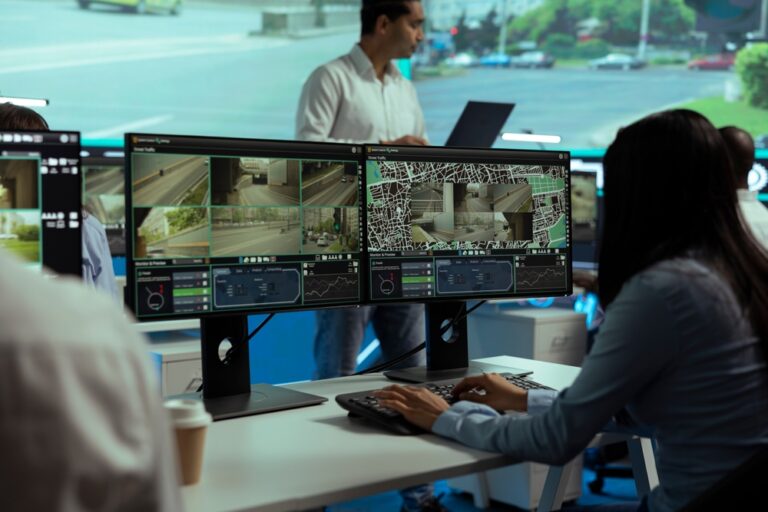
Suppose a credential is used to enter a restricted storage room at 11:42 p.m. An integrated security environment may allow authorized personnel to correlate that access event with surveillance footage from the same location and time.
That can help answer questions such as:
- Who physically entered?
- Did one credential allow multiple people through?
- Was the door propped open afterward?
- Did someone attempt entry before presenting a valid credential?
- What occurred immediately before and after the access event?
For commercial properties, integrating access control with video surveillance can create a more complete picture than operating each system independently.
How Access Control Can Integrate With Other Low-Voltage Systems
A well-designed commercial facility may contain numerous low-voltage technologies. Access control should therefore be considered within the broader infrastructure rather than treated as an isolated door product.
Depending on the facility and selected platforms, integration may involve:
- Video surveillance
- Intrusion detection
- Intercom systems
- Visitor management
- Parking or gate control
- Elevator control
- Building management systems
- Network infrastructure
- Emergency notification systems
Integration does not mean every system needs to be combined into a single platform. The objective is to determine where systems should communicate, where they should remain independent, and what infrastructure is required to support them reliably.
For new construction and major renovations, making those decisions during the design phase can prevent expensive changes later.
Access Control for Offices and Commercial Buildings
Office environments often need more nuanced security than simply locking the exterior doors at night.
An office access control system can create multiple security zones.
For example:
Public areas: Reception and designated meeting areas may remain accessible during business hours.
Employee areas: Workspaces may require a valid credential.
Restricted areas: IT rooms, executive offices, records storage, and other sensitive spaces can be limited to designated personnel.
High-security areas: Critical infrastructure or valuable assets may require stronger authentication or more restrictive schedules.
This layered approach helps businesses avoid an all-or-nothing security model.
Access Control for Schools and Campuses
Schools and larger campuses present a different challenge because many buildings, doors, employees, visitors, schedules, and emergency procedures may need to work together.
Electronic access control can help administrators manage staff entrances, administrative offices, equipment spaces, and other controlled locations while maintaining appropriate access policies.
Campus environments also demonstrate why system scalability matters. A solution that works well for four doors may not be suitable for dozens of buildings and thousands of users.
Access Control for Warehouses and Industrial Facilities
Warehouses, manufacturing facilities, and industrial properties often combine personnel security with protection for equipment, inventory, and operational areas.
Access permissions can be divided among:
- Office personnel
- Production employees
- Warehouse staff
- Management
- Maintenance teams
- Vendors
- Contractors
- Security personnel
A contractor servicing one piece of equipment does not necessarily need unrestricted access throughout the building.
Electronic permissions allow access to be narrowed according to actual operational requirements.
Access Control for Multi-Tenant Buildings
Multi-tenant properties can create complicated key-management problems.
Tenants may need access to the main entrance, their own suite, parking facilities, elevators, fitness areas, conference rooms, or other shared amenities.
Electronic access control allows property managers to organize those permissions without issuing increasingly complicated sets of physical keys.
When a tenant leaves, credentials can be disabled rather than collecting every possible copy of a key.
On-Premises vs. Cloud-Based Access Control
One of the decisions businesses face when selecting an access control system is where the management platform will reside.
On-Premises Systems
Traditional systems may use locally hosted servers and software.
This can provide organizations with substantial direct control over their infrastructure, but it also means local hardware, software, updates, backups, and maintenance need to be considered.
Cloud-Managed Systems
Cloud-managed platforms generally provide remote administration through an internet-connected management environment.
Potential benefits can include easier multi-site administration, remote credential management, and reduced reliance on dedicated on-site server infrastructure.
The better option depends on the organization’s IT policies, cybersecurity requirements, existing infrastructure, number of facilities, desired integrations, and operational model.
What Happens During an Access Control Installation?
Professional access control installation involves much more than attaching readers to walls.
The process normally begins with an assessment of the property and its security requirements.
Site Assessment
The integrator identifies the doors and areas requiring controlled access and evaluates existing infrastructure.
Important considerations include:
- Door and frame construction
- Existing locking hardware
- Number of users
- Credential requirements
- Network availability
- Power requirements
- Cabling pathways
- Egress conditions
- Existing security systems
- Future expansion plans
System Design
The next step is developing the system architecture.
This determines reader locations, controllers, locking hardware, power supplies, credentials, software, network connectivity, integrations, and other required components.
Cabling and Infrastructure
Commercial access control typically requires low-voltage cabling between system components.
Planning cable pathways correctly is particularly important in new construction because access control can be coordinated with structured cabling, surveillance, audiovisual systems, and other building technologies before walls and ceilings are finished.
Hardware Installation
Readers, door hardware, controllers, sensors, power supplies, and related devices are installed according to the system design.
Programming
The system must then be configured around the organization’s actual operations.
That can include creating:
- Users
- Access groups
- Door permissions
- Schedules
- Holiday rules
- Alerts
- Administrative roles
Testing and Commissioning
Each controlled opening should be tested to confirm that credentials, locks, sensors, permissions, schedules, and required integrations operate as intended.
Documentation and administrator training are also important. A technically sophisticated system provides little value if the people responsible for it do not understand how to manage users or respond to alerts.
What Should You Consider When Choosing an Access Control System?
The number of doors is only one factor.
A useful access control design should account for how the organization operates today and how its needs may change.
Number of Users and Doors
A small office with 20 employees and three controlled doors has very different requirements from a multi-building organization with hundreds of doors.
Choose an architecture capable of supporting expected growth.
Credential Technology
Consider whether the organization wants cards, fobs, smartphones, biometrics, or a combination.
Credential security should also be evaluated. The convenience of keeping an outdated credential technology may not outweigh the security advantages of upgrading.
Integration Requirements
If access control needs to work with cameras, intercoms, intrusion systems, elevators, or other platforms, compatibility should be evaluated before equipment is selected.
Trying to force incompatible systems together after installation can be difficult and expensive.
Remote Management
Organizations with multiple locations or limited on-site security personnel may benefit from centralized or remote management capabilities.
Reporting and Audit Requirements
Some organizations need detailed records for internal security procedures, investigations, or regulatory requirements.
Determine what information needs to be recorded, how long it should be retained, and who should have permission to review it.
Cybersecurity
Modern access control increasingly relies on IP networks and connected software.
That makes cybersecurity part of physical security.
System design should consider secure communications, credential technology, administrator authentication, software maintenance, network architecture, permissions, and manufacturer support.
Reliability and Continuity
Ask what happens if the network connection, server, or internet service becomes unavailable.
The answer depends on the system architecture. Well-designed systems account for foreseeable disruptions so critical doors do not become unusable simply because one component loses connectivity.
Future Expansion
A company might need four controlled doors today and 25 several years from now.
Planning for expansion can influence controller capacity, network design, cabling, software licensing, credential choices, and overall architecture.
Scalability is usually less expensive when it is designed into the system from the beginning.
Common Access Control Mistakes to Avoid
Even good equipment can perform poorly when the underlying design is wrong.
One common mistake is treating access control as a collection of electronic locks rather than a complete system. Readers, door hardware, sensors, controllers, cabling, power, software, network infrastructure, and operating policies all influence the result.
Another is focusing only on current requirements. Installing a system with no practical path for expansion can force unnecessary replacement costs later.
Credential management can also become a weakness. Organizations should establish procedures for issuing credentials, changing permissions, handling lost credentials, providing temporary access, and immediately disabling access when it is no longer needed.
Physical door conditions matter as well. An expensive access control platform cannot compensate for a door that does not close or latch correctly.
Finally, businesses sometimes postpone integration planning until after systems have been purchased. If access control will eventually interact with video surveillance, intercoms, networking, or other building technologies, those requirements should be identified during system design.
Why Professional Access Control Design Matters
Access control sits at the intersection of physical security, electronic hardware, networking, software, and building infrastructure.
That makes design quality especially important.
The system has to answer several practical questions at once:
Who needs access?
Where should they be allowed?
When should that access work?
What should happen when access is denied?
How should doors behave during specific events?
What needs to be recorded?
Which other systems should interact with access control?
How will the organization add doors, employees, or facilities later?
Answering those questions before installation usually produces a system that is easier to operate, maintain, and expand.
Commercial Access Control Systems in Colorado
Colorado businesses operate in a wide range of environments, from corporate offices and educational facilities to warehouses, industrial properties, healthcare environments, and multi-building campuses. Their access control requirements can be equally varied.
For organizations building or upgrading a facility, access control is often most effective when it is planned alongside the property’s other low-voltage infrastructure.
High Country Low Voltage provides commercial low-voltage and A/V solutions for organizations throughout Colorado. By approaching access control within the broader technology environment—including structured cabling, surveillance, communications, and audiovisual infrastructure—businesses can develop systems that work together more effectively and leave room for future expansion.
A successful access control project should ultimately do more than unlock a door when someone presents a card. It should give an organization practical control over its physical environment while making day-to-day security management simpler.
Need help with your access control project? We have more than 15+ years of experience – check out the projects we’ve completed. Reach out today for a free estimate, give our team a call at (720) 575-2494 or reach out online here.
Frequently Asked Questions About Access Control in Security Systems
What is access control in a security system?
Access control is a security method used to regulate who can enter a building, room, or other protected area. Electronic access control systems typically use credentials, readers, controllers, locking hardware, and software to verify users and determine whether entry should be granted.
What is an example of access control?
A common example is an employee using an access card to enter an office. The employee presents the card to a reader, the system verifies the credential and its permissions, and the door unlocks if access is authorized.
What are the main components of an access control system?
Common components include credentials, card or mobile readers, access control panels, electronic locking hardware, door position sensors, request-to-exit devices, power supplies, cabling, network connections, and management software.
What are the most common types of access control credentials?
Common credentials include proximity cards, smart cards, key fobs, PIN codes, mobile credentials, and biometric identifiers such as fingerprints or facial characteristics.
What is the difference between access control and physical security?
Physical security is the broader discipline of protecting people, buildings, equipment, and other physical assets. Access control is one component of physical security focused specifically on regulating entry to protected areas.
What is the difference between access control and a security system?
A security system may include multiple technologies, such as access control, video surveillance, intrusion detection, intercoms, alarms, and monitoring. Access control specifically manages who can enter designated physical spaces and under what conditions.
Can access control work with security cameras?
Yes. Compatible access control and video surveillance systems can be integrated so security personnel can correlate door events with recorded or live video. This provides additional context when investigating denied access, forced doors, unusual activity, or other incidents.
Is access control better than traditional keys?
It depends on the application. Mechanical keys remain appropriate for many doors, but electronic access control provides capabilities keys cannot easily offer, including centralized credential management, scheduled permissions, immediate credential revocation, event records, and integration with other security technologies.
Can an access control system be managed remotely?
Many modern systems support remote management, particularly cloud-managed access control platforms. Available capabilities depend on the system, network configuration, security policies, and administrator permissions.
What happens if an access card is lost?
An administrator can typically deactivate the lost credential in the access control system and issue a replacement. This is a major advantage over a lost physical key, which may require affected locks to be rekeyed depending on the security risk.
Can access control restrict entry by time of day?
Yes. Electronic access control systems can typically apply schedules to credentials, groups, or doors. For example, an employee could receive access during normal business hours while management or security personnel retain broader access.
Can access control be used at multiple locations?
Yes. Many networked and cloud-managed systems can support multiple buildings or sites through centralized administration. This can allow an organization to manage users, credentials, doors, and access permissions across several locations from a common platform.
How much does a commercial access control system cost?
The cost varies significantly based on the number and type of doors, locking hardware, credential technology, cabling requirements, controllers, software, integrations, existing infrastructure, and complexity of installation. A site assessment is usually necessary to develop an accurate system design and project estimate.
How do I choose the right access control system for my business?
Start with the security and operational requirements rather than a particular product. Identify who needs access, which doors require control, required schedules, credential preferences, reporting needs, integrations, cybersecurity requirements, and expected future growth. From there, an experienced low-voltage or security integrator can design an appropriate system architecture.
Does access control require special low-voltage cabling?
Many commercial access control systems require low-voltage cabling for readers, locks, door sensors, request-to-exit devices, controllers, networking, or other components. Exact requirements depend on the hardware and system architecture. Coordinating access control cabling with the rest of a building’s low-voltage infrastructure can simplify installation and future expansion.