Video surveillance has evolved far beyond a few security cameras recording grainy footage to a back-room monitor. Modern systems can provide organizations with high-resolution video, remote access, intelligent alerts, centralized management, and recorded evidence across an entire facility or multiple locations.
For Colorado businesses, schools, offices, warehouses, healthcare facilities, retail environments, and other commercial properties, a properly designed video surveillance system can become an important part of the overall security infrastructure. Cameras can help deter unwanted activity, provide visibility into areas that cannot be continuously staffed, document incidents, and give authorized personnel a better understanding of what is happening throughout a property.
Technology, however, is only part of the equation.
Camera placement, network capacity, storage requirements, lighting conditions, viewing angles, cybersecurity, system scalability, and integration with other low-voltage systems all influence how well surveillance equipment performs in the real world.
Understanding those factors makes it much easier to choose a video surveillance solution that provides useful coverage instead of simply adding more cameras.
What Is Video Surveillance?
Video surveillance is the use of cameras, recording equipment, software, networks, and related technology to observe and record activity within designated areas.
A typical system captures video from one or more cameras and sends that footage to a recording or management platform. Depending on the system, authorized users may be able to watch live feeds, search recorded footage, receive alerts, export video clips, or remotely access cameras from computers and mobile devices.
Commercial systems can range from a handful of cameras protecting a small office to hundreds or even thousands of cameras distributed across campuses, warehouses, municipal facilities, educational institutions, and multi-location organizations.
Modern surveillance can be used to monitor areas such as:
- Building entrances and exits
- Reception areas and lobbies
- Parking lots and parking structures
- Loading docks
- Warehouses
- Hallways and common areas
- Retail floors
- Equipment rooms
- Perimeters and gates
- Production areas
- Storage facilities
- Restricted spaces
The objective is not simply to record as much video as possible. Effective surveillance provides useful visual information where and when an organization needs it.
How Does a Video Surveillance System Work?
Although system architecture varies considerably, most video surveillance solutions perform four basic functions: capture, transmission, recording, and management.
Video Capture
Security cameras capture images from the areas being monitored. The camera’s sensor converts light into digital information that can be processed into video.
Camera resolution, lens selection, field of view, frame rate, dynamic range, lighting, mounting position, and image processing all affect the quality of the resulting footage.
This is why resolution alone should never determine camera selection. A high-resolution camera installed at the wrong angle may provide less useful evidence than a properly positioned camera with a lower resolution.
Video Transmission
The camera footage must travel from the camera to another device or platform.
Traditional analog systems generally transmit video through coaxial cabling. Modern IP surveillance cameras communicate through an Ethernet network.
Many IP cameras support Power over Ethernet (PoE), allowing compatible network cabling to carry both power and data. This can simplify installation while providing a structured infrastructure for larger deployments.
Video Recording
Recorded surveillance footage must be stored somewhere.
Depending on the system architecture, storage may involve:
- Digital video recorders (DVRs)
- Network video recorders (NVRs)
- Dedicated servers
- Network-attached storage
- Edge storage inside cameras
- Cloud-based storage
- Hybrid local and cloud storage
How much storage an organization needs depends on several variables, including camera count, resolution, frame rate, compression, recording schedule, motion activity, and required retention period.
Video Management
Video management software provides the interface people actually use to interact with the system.
Depending on the platform, users may be able to view live cameras, search recordings, manage permissions, export evidence, review events, configure alerts, or oversee cameras across multiple facilities.
For larger organizations, the usability of the video management platform can be just as important as the specifications of the cameras themselves.
CCTV vs. Video Surveillance: What’s the Difference?
The terms CCTV and video surveillance are frequently used interchangeably, but they are not always identical.
Closed-circuit television, or CCTV, traditionally refers to a video system where camera feeds are transmitted to a limited group of monitors or recording devices rather than publicly broadcast.
Modern video surveillance is a broader category.
Today’s systems may incorporate IP cameras, network infrastructure, remote viewing, cloud connectivity, analytics, centralized management, mobile access, and integrations with access control or other security technologies.
In practical commercial discussions, someone requesting a CCTV system may actually be looking for a modern IP-based surveillance solution.
Types of Video Surveillance Cameras
There is no single security camera that works best in every environment. Camera selection should be based on what needs to be seen, the environment in which the camera will operate, and what personnel need to accomplish with the footage.
Dome Cameras
Dome cameras use a rounded housing that creates a compact, relatively discreet appearance.
They are commonly installed in offices, retail environments, schools, hallways, entrances, and other commercial interiors. Depending on their construction and environmental rating, some models can also be installed outdoors.
Bullet Cameras
Bullet cameras have a longer, more visible housing and are often used for exterior surveillance.
Their shape can accommodate larger lenses or infrared components, and their visible presence may provide an additional deterrent around building perimeters, parking areas, loading zones, and entrances.
Turret Cameras
Turret cameras use an adjustable ball-and-socket-style design. They offer flexible positioning without necessarily requiring the traditional dome enclosure.
They are increasingly common in commercial IP camera installations because of their versatility and straightforward aiming.
PTZ Cameras
Pan-tilt-zoom cameras can move horizontally, vertically, and optically zoom into selected areas.
PTZ cameras can be useful for monitoring large spaces where operators need the ability to actively investigate activity. Parking areas, campuses, stadiums, large warehouses, and public spaces are common examples.
A PTZ camera should not automatically be viewed as a replacement for several fixed cameras, however. A PTZ camera can only point in one direction at a time unless additional technology is used to provide broader situational awareness.
Fisheye and 360-Degree Cameras
Fisheye cameras use specialized lenses to capture extremely wide viewing areas.
They can be useful in open spaces where broad situational awareness is more important than concentrating on a narrow field of view.
Software may digitally “dewarp” the image so operators can view different portions of the scene in a more conventional perspective.
Multi-Sensor Cameras
Multi-sensor cameras incorporate multiple imaging sensors within a single housing.
They can provide wide-area coverage while maintaining separate views of different directions. These cameras can be particularly useful for building corners, intersections, large outdoor areas, and locations where installing several individual camera housings would be impractical.
License Plate Recognition Cameras
License plate recognition systems are designed to capture vehicle plates under conditions where ordinary security cameras may struggle.
These applications require careful planning. Vehicle speed, distance, camera angle, lighting, shutter settings, and lane positioning can dramatically affect performance.
A general-purpose security camera pointed toward a parking lot does not necessarily provide reliable license plate identification.
Analog vs. IP Video Surveillance
One of the fundamental decisions when planning a security camera system is whether to use analog or IP technology.
Analog Surveillance Systems
Analog cameras transmit their video signal to a DVR, usually through coaxial cable.
Existing buildings with usable coaxial infrastructure may sometimes benefit from upgrading an analog system rather than completely replacing the cabling.
However, analog architectures can have limitations compared with modern network-based systems, particularly when scalability, advanced management, analytics, and integration are priorities.
IP Video Surveillance Systems
An IP video surveillance system places cameras on a data network. Each camera functions as a network device and transmits digital video over Ethernet.
IP systems can provide significant advantages for commercial installations, including:
- High-resolution imaging
- Flexible system expansion
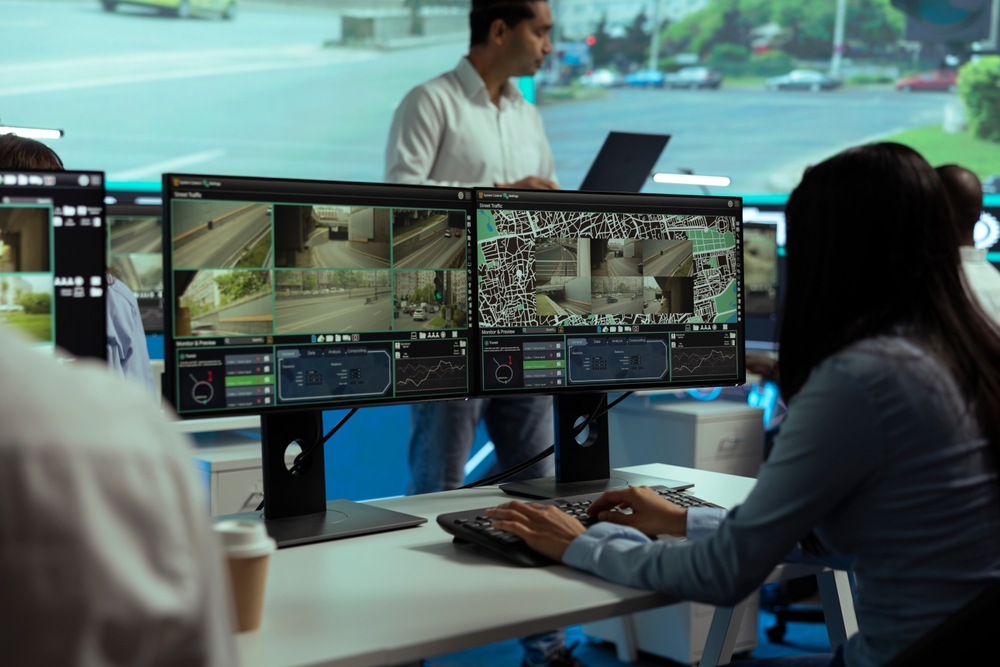
- Centralized camera management
- Remote access
- PoE connectivity
- Advanced video analytics
- Easier multi-site management
- Integration with other networked systems
IP surveillance has consequently become a common choice for new commercial installations and major system upgrades.
What Is an NVR?
A network video recorder, or NVR, records video transmitted by IP security cameras.
Unlike a traditional DVR that receives analog video signals, an NVR operates within a networked surveillance environment.
The NVR may provide centralized recording, playback, search, camera configuration, user management, and video export capabilities.
Choosing an NVR requires more than counting camera inputs. The recorder also needs sufficient processing capability, network throughput, storage capacity, and compatibility with the selected cameras.
Local, Cloud, and Hybrid Video Surveillance
Where surveillance footage is stored and managed has become an important design decision.
Local Video Storage
Local storage keeps recorded footage on equipment located at the facility, such as an NVR or dedicated server.
Organizations may prefer local recording when they want direct control over storage infrastructure or need to accommodate high camera counts and substantial recording volumes.
Cloud Video Surveillance
Cloud-based surveillance platforms can provide remote management and centralized visibility without relying entirely on traditional on-site recording architecture.
They can be especially attractive to organizations managing several locations because authorized personnel may be able to access multiple sites through one platform.
Internet connectivity, bandwidth, subscription costs, retention requirements, and cybersecurity should all be evaluated when considering cloud surveillance.
Hybrid Surveillance Systems
Hybrid systems combine elements of local and cloud architecture.
For example, footage may be recorded locally while cloud services provide remote management, alerts, health monitoring, or selected video storage.
The right architecture depends on the organization’s network, security policies, operational requirements, and budget.
Important Features in Modern Video Surveillance Systems
Security camera specifications can become overwhelming quickly. Rather than selecting equipment according to the longest feature list, organizations should focus on capabilities that solve specific operational problems.
High-Resolution Video
Higher resolution can provide more image detail, which may improve the ability to identify people, objects, or events.
Common modern resolutions include 1080p, 4MP, 5MP, 4K, and higher.
More pixels are not automatically better in every situation. Higher-resolution video consumes additional network bandwidth and storage, and image quality still depends heavily on lighting, optics, sensor quality, compression, and camera placement.
Night Vision
Many cameras use infrared illumination to produce usable images in dark environments.
Infrared range should be evaluated according to the actual scene rather than simply selecting the camera with the largest advertised distance.
Reflective surfaces, walls, weather, landscaping, and nearby objects can all influence nighttime image quality.
Wide Dynamic Range
Wide dynamic range, commonly abbreviated WDR, helps cameras handle scenes containing both very bright and very dark areas.
Consider a camera positioned inside a lobby facing glass entrance doors. Without adequate dynamic range, the outdoor light may cause people entering the building to appear extremely dark.
WDR helps balance these competing lighting conditions.
Motion Detection
Motion detection allows the surveillance system to identify changes within the camera’s field of view.
Basic motion detection can trigger frequently because of shadows, weather, vegetation, headlights, or other irrelevant movement.
More advanced systems can classify certain objects or events, helping reduce unnecessary alerts.
Remote Viewing
Remote access allows authorized personnel to view cameras or recordings without being physically located at the recorder.
Depending on the platform and security policies, access may be available through desktop software, browsers, tablets, or smartphones.
Secure configuration is essential. Surveillance systems should not be exposed unnecessarily to the public internet simply for convenient remote viewing.
Video Analytics
Modern video analytics can automatically evaluate camera footage for specific types of activity.
Depending on the technology, analytics may support capabilities such as:
- Person detection
- Vehicle detection
- Line-crossing alerts
- Intrusion zones
- Loitering detection
- Object classification
- Occupancy monitoring
- People counting
- Unusual activity detection
- License plate recognition
Analytics can make surveillance systems more proactive by directing attention toward relevant events instead of requiring someone to continuously watch every camera.
Video Surveillance and Artificial Intelligence Analytics
Intelligent video analysis is changing the role of commercial surveillance.
Historically, many systems were primarily forensic. Something happened, and personnel searched through recorded footage afterward.
Modern analytics can help identify potentially important activity while it is occurring.
For example, a system might distinguish a person entering a restricted outdoor zone from a tree moving in the wind. That distinction can reduce false alerts and make notifications more useful.
Analytics still depend heavily on camera positioning, image quality, environmental conditions, software configuration, and the specific capabilities of the platform. Technology cannot compensate for a poorly designed field of view.
The best approach is to define the event that matters first, then design the camera coverage and analytics around that objective.
Video Surveillance for Commercial Properties
Commercial surveillance requirements differ substantially from residential camera installations.
Businesses often need greater camera coverage, longer retention periods, more robust network infrastructure, multiple user permission levels, centralized monitoring, and equipment capable of continuous operation.
Common commercial applications include:
Office Buildings
Office surveillance commonly focuses on entrances, reception areas, hallways, parking areas, loading zones, and other shared spaces.
When paired with access control, video can also provide visual context around door-related security events.
Warehouses and Distribution Centers
Warehouses present unique challenges because of their size, ceiling height, shelving, moving equipment, loading docks, and changing inventory.
A successful warehouse surveillance system may require a combination of wide-area cameras and cameras dedicated to critical locations.
Retail Locations
Retail surveillance can support loss prevention, incident investigation, employee safety, customer safety, and general operational visibility.
Camera positioning should provide useful perspectives of entrances, checkout areas, sales floors, inventory spaces, and other high-priority zones.
Schools and Educational Facilities
Educational facilities may require surveillance across entrances, hallways, parking lots, common areas, athletic facilities, and exterior grounds.
Large campuses may also benefit from centralized video management and carefully defined user permissions.
Healthcare Facilities
Healthcare environments have complex security and privacy requirements. Surveillance planning may involve entrances, public spaces, parking facilities, reception areas, pharmacies, storage locations, and other appropriate security zones.
Camera placement should always be considered in the context of how each space is used.
Manufacturing Facilities
Manufacturing facilities can use surveillance for security while also gaining visibility into production environments, loading areas, equipment zones, and facility operations.
Industrial conditions such as dust, vibration, moisture, temperature extremes, and unusual lighting may require specialized equipment.
Why Camera Placement Matters
One of the most common surveillance mistakes is choosing cameras before defining the required view.
Start with the question: What must this camera allow us to see?
There is a major difference between detecting that a person entered a parking lot and capturing enough facial detail to identify that person.
Likewise, a camera that provides an excellent overview of a loading dock may not capture sufficient detail to document individual packages or read vehicle license plates.
Effective camera placement considers:
- Field of view
- Mounting height
- Subject distance
- Lighting
- Potential obstructions
- Required image detail
- Direction of travel
- Environmental exposure
- Possible tampering
- Coverage overlap
Camera placement should therefore be treated as a design discipline, not simply an installation decision.
Understanding Field of View
Field of view describes how much of a scene a camera can see.
A wider field of view covers more area but distributes available pixels across that larger scene. A narrower field of view concentrates detail into a smaller area.
That tradeoff is important.
Trying to make one camera cover an entire parking lot may technically show the whole property, but individual people or vehicles could occupy only a tiny portion of the recorded image.
Professional surveillance design balances broad situational awareness with targeted identification views.
Lighting Can Make or Break Surveillance Footage
Security cameras depend on light.
Even sophisticated cameras can struggle when pointed directly at bright windows, vehicle headlights, reflective surfaces, or extremely dark environments.
Exterior cameras also experience dramatic lighting changes throughout the day. A camera may perform perfectly at noon but struggle at sunrise, sunset, or overnight.
Surveillance design should consider both daytime and nighttime conditions.
Supplemental illumination, infrared cameras, WDR, low-light sensors, careful positioning, or changes to the physical lighting environment may significantly improve video quality.
Video Surveillance Storage Requirements
Storage is one of the most frequently underestimated parts of a surveillance project.
The amount of storage required depends on factors including:
- Number of cameras
- Resolution
- Frames per second
- Compression method
- Recording mode
- Motion levels
- Bitrate
- Required retention period
For example, recording dozens of high-resolution cameras continuously for 30, 60, or 90 days can require substantial storage capacity.
A professional system design should calculate anticipated storage requirements before equipment is purchased.
Continuous vs. Motion-Based Recording
Continuous recording captures video around the clock.
Motion-based recording stores footage when the system detects activity.
Some environments use a combination, such as continuous low-frame-rate recording with higher-quality event recording when motion occurs.
The appropriate method depends on the organization’s security objectives, storage capacity, risk profile, and retention requirements.
Network Infrastructure for IP Video Surveillance
An IP camera system is also a networked system.
That means network design directly affects surveillance performance.
A commercial installation may require:
- Category cabling
- PoE network switches
- Fiber-optic backbone connections
- Network segmentation
- Sufficient switch capacity
- Adequate uplink bandwidth
- Rack space
- Backup power
- Surge protection
- Proper cable pathways
- Network security controls
This is one reason structured cabling and low-voltage expertise are particularly valuable when deploying commercial surveillance.
Installing the camera is only the visible part of the project. The network behind it determines whether dozens or hundreds of video streams can operate reliably.
Cybersecurity and Video Surveillance
Network cameras, NVRs, servers, and cloud-connected surveillance devices should be treated as part of an organization’s IT infrastructure.
Poorly secured cameras can create unnecessary cybersecurity exposure.
Security practices may include changing default credentials, using strong authentication, maintaining current firmware, limiting unnecessary services, controlling remote access, segmenting surveillance traffic, and restricting administrative privileges.
Organizations should also establish clear user permissions.
A receptionist who needs to view an entrance camera does not necessarily need administrator-level access to every camera and every recording.
Role-based permissions help organizations provide the necessary visibility without granting excessive access.
Integrating Video Surveillance With Access Control
Video surveillance becomes even more useful when it works alongside other building security technologies.
Access control systems manage who can enter secured doors. Surveillance systems show what happened visually.
Combining the two can provide valuable context.
Suppose an access credential is used at a restricted entrance at 10:42 p.m. An integrated security environment may allow personnel to associate that access event with corresponding camera footage.
Instead of manually searching through hours of video, the event itself can help direct the investigation.
Potential integrations can include:
- Access control
- Door monitoring
- Intercom systems
- Intrusion detection
- Visitor management
- Building management platforms
- Emergency communication systems
Integration requirements should be identified early because compatibility can influence product selection and system architecture.
Video Surveillance for Multi-Site Organizations
Organizations with several locations face a different surveillance challenge: management.
Separate systems at every building can become difficult to maintain. Personnel may need different applications, credentials, interfaces, and procedures just to retrieve footage.
Centralized video management can allow authorized users to monitor multiple facilities through a common platform.
For businesses with offices, retail locations, warehouses, schools, campuses, or geographically distributed facilities, centralized management can improve operational consistency and reduce administrative complexity.
How Long Should Surveillance Footage Be Retained?
There is no universal retention period that works for every organization.
Some businesses may need only several days of recorded footage, while others may require 30, 60, 90 days or longer based on security policies, operational needs, contractual requirements, or applicable regulations.
A useful question is how long it typically takes the organization to discover an incident.
If a discrepancy is not normally identified until several weeks later, retaining only seven days of footage may make the surveillance system far less useful.
Retention requirements should be established during system design because they directly affect storage capacity and cost.
Privacy and Responsible Video Surveillance
A capable surveillance system should also be managed responsibly.
Organizations need clear policies defining where cameras are appropriate, who can access footage, how recordings are stored, when video can be exported, and how long recordings are retained.
Cameras should be positioned according to legitimate security and operational objectives rather than simply covering every possible space.
Permissions and audit controls can also help prevent unauthorized access to recorded footage.
A technically powerful system is most effective when it is supported by thoughtful operational policies.
Common Video Surveillance Mistakes
Even high-quality security equipment can produce disappointing results when the system is poorly planned.
Installing Cameras Too High
Mounting cameras excessively high can provide impressive overview images while sacrificing facial detail.
The correct height depends on the objective of the camera.
Trying to Cover Too Much With One Camera
Wide-angle coverage looks efficient on a floor plan, but the resulting footage may lack useful detail.
Sometimes two strategically positioned cameras provide better evidence than one extremely wide camera.
Ignoring Nighttime Conditions
A camera should be evaluated under the conditions in which it will actually operate, including after dark.
Exterior lighting, infrared reflection, vehicle headlights, and deep shadows can dramatically alter the image.
Underestimating Storage
High-resolution video requires significant storage, particularly when many cameras record continuously.
Storage calculations should be part of the design process rather than an afterthought.
Ignoring Network Capacity
Adding dozens of IP cameras introduces continuous network traffic.
Switch capacity, PoE budgets, uplinks, cabling, and network architecture must support the planned deployment.
Choosing Equipment Before Defining Security Goals
Starting with a camera model is backwards.
First determine what needs to be monitored, what level of detail is required, how footage will be used, and how long recordings must be retained. Equipment selection should follow those decisions.
How to Choose a Video Surveillance System
The best video surveillance system is not necessarily the system with the highest camera resolution or the most advanced software.
It is the system that matches the property’s actual requirements.
Before selecting equipment, consider the following questions:
- Which areas need surveillance?
- What must personnel be able to identify?
- Are cameras needed indoors, outdoors, or both?
- What are the lighting conditions?
- How many days of footage must be retained?
- Who needs live and recorded video access?
- Is remote viewing required?
- Are intelligent alerts or analytics useful?
- Does the system need to integrate with access control?
- Will additional cameras be added later?
- Are multiple facilities involved?
- Does existing cabling or network infrastructure need upgrading?
Answering these questions creates a much stronger foundation for system design.
Why Professional Video Surveillance Installation Matters
Commercial surveillance systems involve more than mounting cameras and connecting them to a recorder.
A professional installation requires coordination among cameras, cabling, network infrastructure, power, storage, software, mounting hardware, security policies, and the physical characteristics of the facility.
Proper commissioning is equally important.
After installation, cameras should be aimed and focused for their intended purpose, recording should be verified, storage retention should be checked, user permissions should be configured, and remote or centralized management should be tested.
Documentation also matters, particularly for larger systems. Knowing which switch port, cable, camera, IP address, and physical location correspond to each device makes future troubleshooting and expansion considerably easier.
Planning Video Surveillance for Colorado Businesses
Colorado properties present a range of surveillance environments, from Denver-area offices and Front Range commercial facilities to mountain properties, industrial sites, schools, warehouses, and multi-building campuses.
Exterior equipment may need to operate through strong sunlight, snow, freezing temperatures, wind, moisture, and substantial day-to-night temperature changes.
The physical building can create additional challenges. Long cable runs, detached structures, large parking areas, older cabling, concrete construction, and multi-floor facilities may require fiber connections, network upgrades, specialized mounting, or additional low-voltage infrastructure.
For these projects, surveillance should be planned as part of the broader technology environment rather than treated as an isolated collection of cameras.
Build a Video Surveillance System Around Your Facility
A well-designed video surveillance system should provide useful information when it matters.
That requires more than buying cameras with impressive specifications. Coverage must match the facility, image detail must match the security objective, storage must match retention requirements, and the underlying network must be capable of supporting the system reliably.
High Country Low Voltage provides commercial A/V and low-voltage solutions for organizations throughout Colorado. By approaching video surveillance as part of the property’s broader technology infrastructure, businesses can build systems that are easier to manage, expand, and integrate with other building technologies.
Whether a project involves upgrading an aging camera system, expanding surveillance into new areas, improving network infrastructure, or designing a new system from the ground up, careful planning creates the foundation for reliable long-term performance.
We’ve helped many Colorado companies add video surveillance, we can help you to. Call our office today for a free estimate, you can reach us by calling (720) 575-2494 or by reaching out online here.
Frequently Asked Questions About Video Surveillance
What is video surveillance?
Video surveillance uses security cameras and related technology to monitor, transmit, record, store, and manage video from designated areas. Modern systems may include IP cameras, NVRs, video management software, remote access, cloud services, and intelligent video analytics.
What is the difference between CCTV and video surveillance?
CCTV traditionally describes a closed system that sends camera footage to specific monitors or recording equipment. Video surveillance is a broader term that can include CCTV as well as modern IP cameras, network video recorders, cloud platforms, remote monitoring, analytics, and integrated security systems.
What is an IP video surveillance system?
An IP video surveillance system uses network-connected cameras that transmit digital video over an Ethernet or IP network. IP cameras can often receive both data connectivity and electrical power through Power over Ethernet.
How many security cameras does a business need?
There is no standard number. Camera requirements depend on the size and layout of the property, number of entrances, parking areas, restricted spaces, required fields of view, image-detail requirements, and security objectives. A site assessment is usually the best way to determine appropriate coverage.
How long do video surveillance systems keep footage?
Retention can range from several days to several months or longer. The appropriate period depends on organizational requirements, camera count, available storage, recording settings, security policies, and any applicable contractual or regulatory requirements.
Can video surveillance cameras record at night?
Yes. Many modern cameras include infrared illumination or low-light imaging capabilities. However, nighttime performance varies considerably between cameras and depends on environmental lighting, camera placement, subject distance, lens selection, and other conditions.
Can I view surveillance cameras remotely?
Many modern systems support secure remote viewing through desktop applications, browsers, smartphones, or tablets. Remote access should be configured with appropriate authentication and network security rather than exposing surveillance equipment unnecessarily to the public internet.
What is the difference between an NVR and a DVR?
An NVR primarily records digital video from IP cameras connected through a network. A DVR traditionally processes and records video from analog cameras connected through coaxial cabling.
Do security cameras need internet access?
Not necessarily. A local IP surveillance system can operate on an internal network without continuous internet access. Internet connectivity is generally required for cloud services and many remote-access features.
Can video surveillance integrate with access control?
Yes. Compatible video surveillance and access control systems can be integrated so door events and credential activity can be associated with relevant video. This can make incident investigation and facility monitoring more efficient.
Is 4K better for video surveillance?
4K provides substantially more pixels than 1080p and can deliver greater image detail under suitable conditions. However, it also requires more bandwidth and storage. Camera placement, sensor performance, lens quality, lighting, and field of view can matter as much as resolution.
What areas should a commercial surveillance system monitor?
Common areas include entrances, exits, reception spaces, parking areas, loading docks, building perimeters, hallways, warehouses, inventory areas, and other locations where security or operational visibility is important. Camera placement should reflect the property’s specific risks and objectives.
What should I look for in a commercial video surveillance system?
Consider image quality, camera type, nighttime performance, storage capacity, retention requirements, video management software, cybersecurity, remote access, analytics, scalability, network infrastructure, manufacturer support, and compatibility with other building security systems.
How much does a commercial video surveillance system cost?
Cost depends on far more than the number of cameras. Camera specifications, installation difficulty, cable pathways, network equipment, storage capacity, software licensing, mounting requirements, integrations, analytics, and existing infrastructure can all affect the total project price. A site-specific assessment provides a more meaningful estimate than a generic per-camera price.
Can an existing video surveillance system be upgraded?
Often, yes. Existing cabling, cameras, network infrastructure, recorders, and mounting locations can be evaluated to determine what can remain in service. In some cases, an organization can modernize portions of the system incrementally rather than replacing the entire surveillance infrastructure at once.